 How-to
Ergonomic Strategies for Office Back Pain That Work
Quick Summary
Office back pain is usually eased by changing positions often rather than holding one perfect posture, and a good plan combines workstation setup, regular movement, and exercise. Start by setting your chair to your body, then adjust the desk and monitor to fit it. Pain that spreads down a leg, causes numbness or weakness, or follows an injury needs prompt medical attention.
- Set chair height first so your feet rest flat, then adjust the desk to your elbows.
- Place the top third of the monitor at or slightly below eye level, about an arm's length away.
- Stand and walk for one to two minutes every 30 to 60 minutes.
- Track one change at a time for one to two weeks to see whether it helps.
- Use an external keyboard and screen rather than a laptop alone to hold better posture.
Table of Contents
- Why Office Back Pain Builds During Long Sitting Hours
- Office Ergonomics Setup: Chair, Desk and Monitor Positions
- Step 1: Measure Before You Adjust
- Step 2: Set Chair Height and Foot Support
- Step 3: Fit the Lumbar Support to Your Lower Back
- Step 4: Set Desk Height to Your Elbows
- Step 5: Place the Monitor at Eye Level and Arm's Length
- Step 6: Adapt the Setup to Your Body Size and Desk Type
- Step 7: Recheck After Any Change
- How to Relieve Lower Back Pain From Sitting at Your Desk
- Desk Stretches for Back Pain You Can Do in Five Minutes
- Exercise for Back Pain From Sitting Long Hours
- Building a Movement Break Schedule and Testing What Helps
- Book a Discovery Call If Desk Changes Are Not Enough
- Frequently Asked Questions
Ergonomic Strategies for Office Back Pain That Work
Last Updated: November 19, 2026
Why Office Back Pain Builds During Long Sitting Hours
Office back pain often builds slowly. Many people sit for most of the workday, and the body adapts to that position over time.
Sitting is not harmful in itself. The problem is staying in one position for hours.
Ergonomic changes can help, but they are rarely a complete fix on their own, so a good plan combines posture, movement, and exercise.
Office Ergonomics Setup: Chair, Desk and Monitor Positions
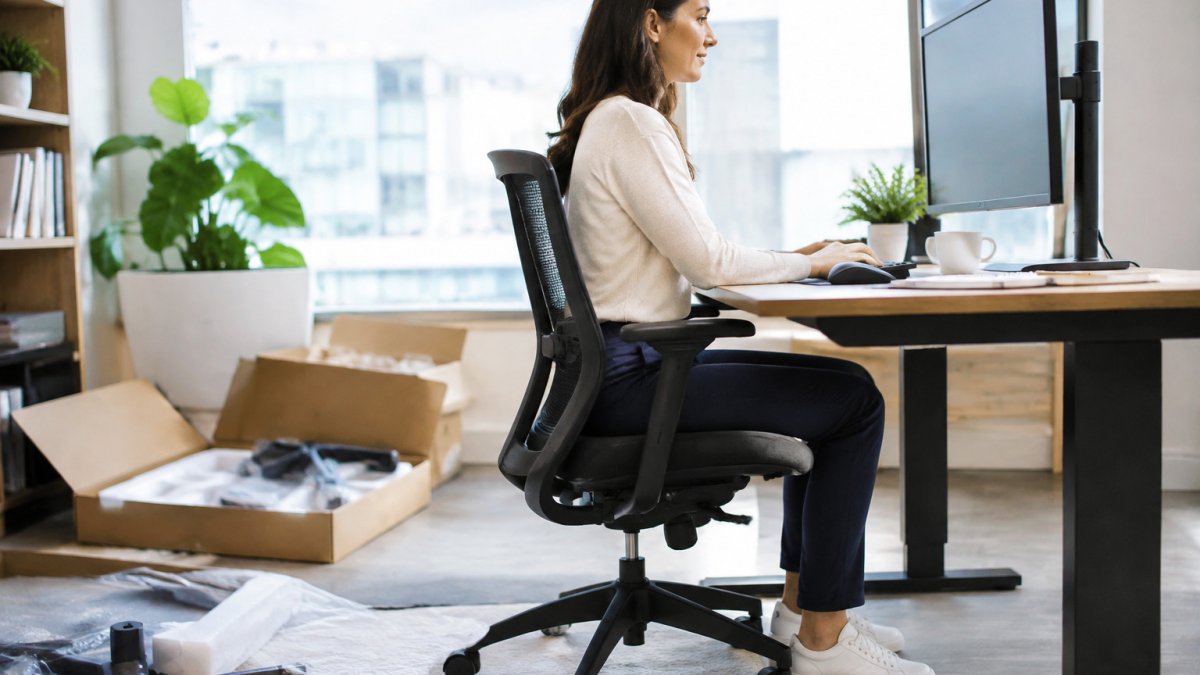
A workstation that fits your body reduces how much your back has to work to hold you up. The goal is not a perfect position. It is a setup you can return to and change position from throughout the day. The steps below walk through a simple way to adjust your workstation to your own body.
Step 1: Measure Before You Adjust
Start with three measurements using a tape measure or a piece of string. First, measure from the floor to the crease behind your knee while you sit with your feet flat. Second, measure from the floor to the underside of your elbow when your upper arm hangs relaxed at your side. Third, measure the distance from your eyes to the screen when you sit back in the chair.
A common pattern is that people set their chair to a comfortable height and then force their desk and screen to match, when the reverse works better. Set the chair to your body first, then adjust the desk and screen to the chair.
Step 2: Set Chair Height and Foot Support
Adjust the seat so your feet rest flat on the floor with your knees about level with your hips. If your feet dangle, use a footrest; a stack of books or a sturdy box works as a low-cost substitute.
Watch out: Raising the chair to make the desk fit often leaves the feet unsupported, which shifts load to the lower back. Fix the foot support before you touch the desk height.
Step 3: Fit the Lumbar Support to Your Lower Back
Use a chair with a backrest that supports the natural curve of your lower back. The support should sit in the small of your back, roughly at belt level, not at the shoulder blades. If your chair lacks that support, a small cushion or rolled towel behind the lower back can help. The test is simple: sit back fully and see whether your lower back feels supported without you having to hold yourself upright.
Step 4: Set Desk Height to Your Elbows
With the chair set, adjust the desk so the work surface sits at or slightly below your elbow height when your shoulders are relaxed. If the desk is too high, raise the chair and add foot support; if it is too low, a keyboard tray can bring the input devices up to the right level. Your keyboard and mouse should sit close enough that your elbows stay near your sides, and your wrists should stay in a neutral line with your forearms rather than bending up or down.
Step 5: Place the Monitor at Eye Level and Arm's Length
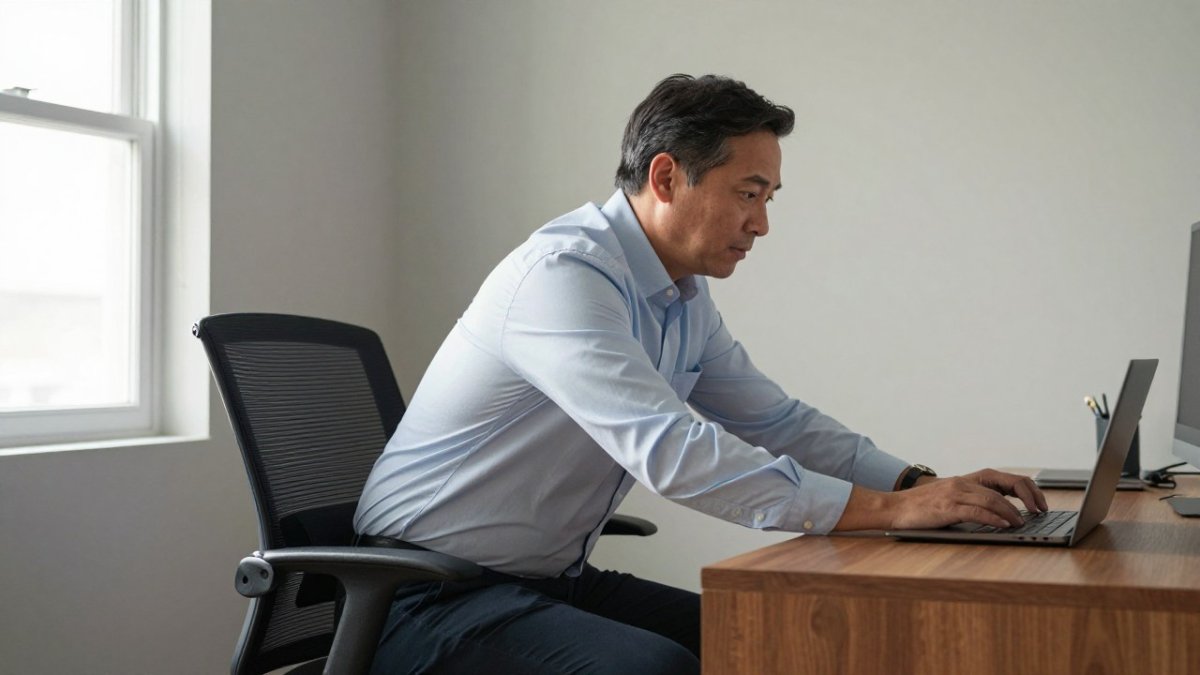
Place your monitor so the top third of the screen is at or slightly below eye level, and keep it about an arm's length away. If you wear progressive lenses, you may need the screen slightly lower so you are not tilting your head back to see through the reading portion. A laptop alone usually forces the screen too low and the keyboard too high at the same time; a separate keyboard and an external screen make it easier to hold good posture.
Step 6: Adapt the Setup to Your Body Size and Desk Type
Standard office furniture is built for a narrow range of bodies, so most people need at least one adaptation. Taller users often need a higher desk or a keyboard tray plus a footrest to keep the chair low enough for the feet. Shorter users often need a footrest and a monitor arm to bring the screen closer without leaning forward.
Step 7: Recheck After Any Change
Run the same three measurements again after you adjust anything, because changing the chair height changes the desk and screen relationship. A setup that fit last month may not fit after a new chair, a new monitor, or a change in footwear. The check takes a minute and prevents the slow drift that puts your back back where it started.
How to Relieve Lower Back Pain From Sitting at Your Desk
Relief usually comes from changing position often, not from holding one perfect posture. If you have persistent lower back pain from sitting, you can read about one-on-one assessment and treatment for low back pain. Many people find that small, regular changes ease symptoms more than a single fix.
Try these steps during the workday:
- Stand up and walk for a minute or two every 30 to 60 minutes.
- Shift your weight or adjust your seat position when you feel stiff.
- Use a standing period, if your setup allows, to break up long sits.
- Check that your screen and keyboard have not drifted out of place.
A useful approach is to notice which positions and movements trigger symptoms, then build a plan around them.
Desk Stretches for Back Pain You Can Do in Five Minutes
Short stretches at your desk can ease stiffness between tasks. Move gently and stop if anything causes sharp or shooting pain.
- Seated trunk rotation: Sit tall, turn your upper body slowly to one side, hold for a few breaths, then switch.
- Chest opener: Clasp your hands behind your back and gently lift your chest.
- Chin tucks: Draw your head straight back, as if making a double chin, to ease neck and upper-back tension.
These stretches give relief for the moment. For lasting change, pair them with regular movement and strength work.
Exercise for Back Pain From Sitting Long Hours
Strength and mobility work helps the muscles that support your spine handle long periods of sitting. The McKenzie Method focuses on self-treatment and on finding movements that centralize or reduce symptoms.
Simple exercises to consider:
- Bridges: Lie on your back with knees bent and lift your hips, then lower slowly.
- Seated leg lifts: Sit tall and lift one leg straight out, holding briefly before switching.
- Planks: Hold a forearm plank from the knees or toes, keeping your back flat.
Start gently. A common mistake is adding too much load before the body is ready. If an exercise increases pain that lasts beyond a day, change the movement or ask a clinician to review it.
Building a Movement Break Schedule and Testing What Helps
A realistic schedule works better than an ambitious one you abandon by Wednesday. The plan below gives you specific intervals, durations, and a simple tracking method so you can tell whether an adjustment is actually helping.
A Workday Break Schedule You Can Actually Keep
Start with this structure and adjust the intervals to your calendar:
- Every 30 to 60 minutes: stand for one to two minutes. Walk to fill a water bottle, take a short hallway loop, or do a standing task such as a phone call.
- Mid-morning: a five-minute stretch routine using the desk stretches above.
- Midday: a ten-minute walk, ideally outdoors, before or after lunch.
The intervals matter more than the duration. Short, frequent changes in position ease the sustained load that builds during long sitting, and they are easier to fit around meetings than a single long break.
Watch out: If your calendar makes a 30-minute interval unrealistic, set a 60-minute timer instead of skipping the break entirely. A consistent longer interval beats an inconsistent short one.
How to Test Whether an Adjustment Is Helping
Pick one change at a time and track it for one to two weeks. Note three things each day: roughly how many hours you sat, what you changed, and how your pain ranged from morning to evening on a simple 0-to-10 scale. Patterns often show up faster than expected.
Keep the tracking simple enough that you will actually do it. A notes app or a paper calendar works as well as a spreadsheet. The point is to compare days, not to produce a perfect record.
When Desk Changes Are Not Enough
Some people find that workstation and movement changes ease their pain. Others keep struggling, especially if pain has lasted for months or keeps returning. Pain that spreads down a leg, comes with numbness or weakness, or follows an injury needs prompt medical attention rather than another workstation adjustment. If you have tracked your changes for a few weeks and see no pattern or no improvement, that is a reasonable point to ask a clinician to review what is driving your symptoms.
Book a Discovery Call If Desk Changes Are Not Enough
Some people find that workstation and movement changes ease their pain. Others keep struggling, especially if pain has lasted for months or keeps returning. Spinal Haven offers one-on-one physical therapy designed to help identify what drives your symptoms.
A discovery call with Dr. Elizabeth Kingshott Cary can help you see whether one-on-one physical therapy fits your situation. Spinal Haven offers in-person and virtual care options.
Frequently Asked Questions
How should I set up my desk to reduce back pain?
Start with the chair: adjust the seat height so your feet rest flat on the floor and your hips sit slightly above your knees. Use the chair's lumbar support so it fits the curve of your lower back, and keep your monitor at or just below eye level about an arm's length away. Keep your elbows near your sides with wrists in a relaxed, neutral position on the keyboard. Small changes often help more than one large overhaul, so adjust one element at a time and notice how your back responds over several days. Research on workstation changes shows the effects are often modest, so pair setup changes with movement breaks and exercise.
What is the worst sitting position for lower back pain?
Slouching with the lower back unsupported and the head pushed forward toward the screen is widely considered a poor position for the lower back. Sitting in one fixed posture for hours, even a good one, also loads the spine without change. Leaning forward to reach a low keyboard or a monitor set too far away tends to make the problem worse. The goal is not a single perfect posture but varied positions, frequent changes and regular breaks. If pain is persistent or worsening, a qualified physical therapist can assess your specific movement patterns.
How often should I move or take a break from sitting?
Many people find it practical to stand, walk or change position for a few minutes at least every 30 to 60 minutes. Short breaks that include a brief walk, a stretch or simply shifting weight from side to side can interrupt prolonged static sitting. Keep a simple log for a week to see which breaks your back tolerates well and which ones provoke symptoms. There is no universal schedule proven to prevent back pain, so treat the timing as a starting point to adjust based on how you feel.
When should I seek professional help for office-related back pain?
Consider a consultation with a qualified healthcare professional if back pain lasts more than a few weeks, keeps returning, interferes with sleep or work, or spreads down one leg. Seek prompt medical care for numbness or weakness in the legs, changes in bladder or bowel control, fever, or pain following an injury. A physical therapist can assess how your movement and symptoms relate to your workday and build a self-management plan. Desk adjustments are useful, but they are one part of care, not a guaranteed fix.