 How-to
How to Choose an Ergonomic Office Chair That Fits Your Body
Quick Summary
To choose an ergonomic office chair that fits your body, start with your body rather than the brand. Check that your feet sit flat, your knees bend at roughly 90 degrees, and two to three fingers fit between your knees and the seat edge. Then confirm that the lumbar support, armrests, and recline adjust to suit you.
- Measure your height and leg length before choosing a chair.
- Sit in the chair for at least 10 minutes before buying.
- Slide two fingers under your thigh at the seat edge without pressure.
- Leave two to three fingers of space between your knees and the seat.
- Choose a chair with adjustable lumbar height and depth.
Table of Contents
- Why Chair Fit Matters More Than the Ergonomic Label
- Office Chair Seat Depth and Height: Getting the Base Right
- Office Chair Lumbar Support: What to Look For
- Choosing an Ergonomic Chair for Back Pain
- Armrests, Recline, and Movement
- Ergonomic Workstation Setup Checklist
- Booking Your Discovery Call If Pain Persists
- Frequently Asked Questions
How to Choose an Ergonomic Office Chair That Fits Your Body
Last Updated: November 25, 2026
Why Chair Fit Matters More Than the Ergonomic Label
Many office chairs carry the word "ergonomic" on the box. That label alone does not tell you whether an ergonomic office chair will work for your body. A chair becomes ergonomic only when it suits your body size, your desk, and the work you do all day.
Ergonomic guidance generally holds that a chair is well suited to a worker when it fits the worker's body dimensions, workstation, and tasks. A chair that fits a tall professional may leave a shorter person's feet dangling and their back unsupported.
Many people with back pain, sciatica, or movement limits spend long hours seated at work. Getting chair fit right is one practical step toward reducing daily strain.
Here is the core idea for choosing a chair:
- Start with your body, not the brand. Measure your height and leg length.
- Test the chair in person when you can. Sit in it for at least 10 minutes.
- Check that adjustments work for you. A chair with many controls helps only if you can reach and use them.
Office Chair Seat Depth and Height: Getting the Base Right
Seat height and seat depth set the foundation of good posture. If these are wrong, the rest of the chair cannot fix the problem.
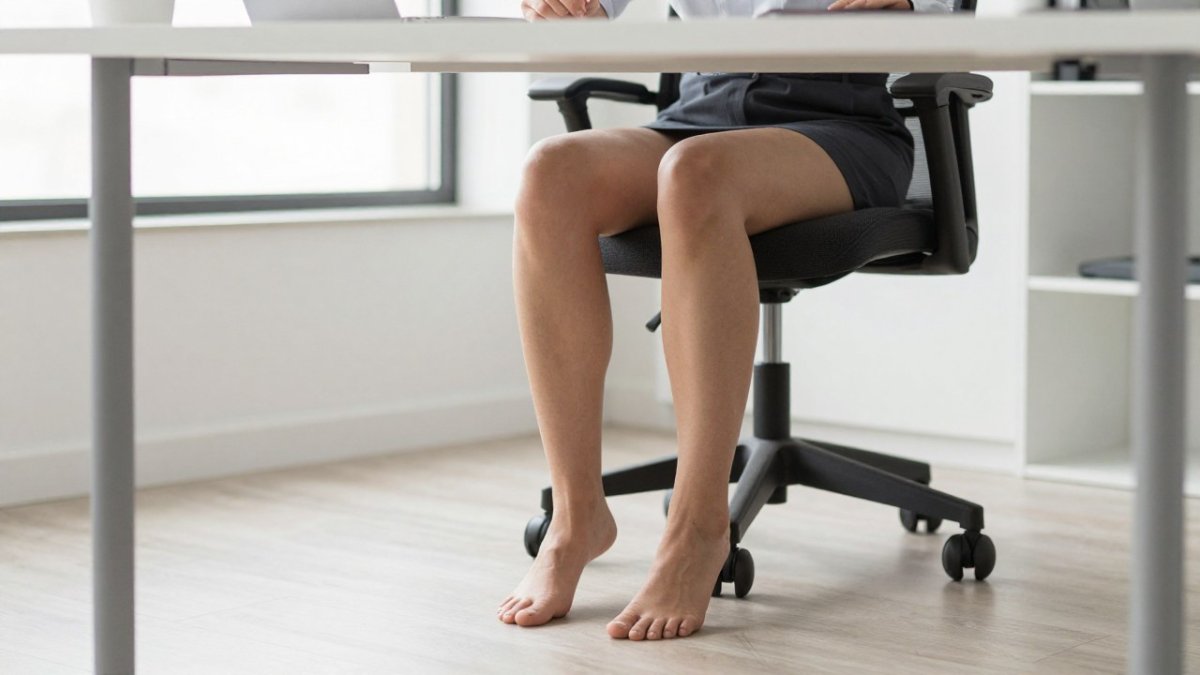
Use these measurable checks to dial in the base:
- Seat height: Sit with your feet flat on the floor. Your knees should be bent at roughly 90 degrees, and your hips should be level with or slightly higher than your knees. A common pass/fail test: slide two fingers under your thigh at the front edge of the seat. If you feel pressure or tingling, the seat is too high or the edge is too firm.
- Seat depth: Sit all the way back against the backrest. You should be able to fit two to three fingers (about 1.5 to 2 inches) between the back of your knees and the seat edge. If the seat presses into your calves, it is too deep. If you have more than three fingers of space, it is too shallow and you will likely slide forward.
- Thigh support: Your thighs should rest fully on the seat from hip to knee, with no dangling or pressure points. If your thighs feel unsupported, the seat is too short or too soft.
If your feet do not reach the floor after setting the seat height on your ergonomic office chair, use a footrest. A footrest keeps your knees and hips in a comfortable position and eases pressure on the lower back.
Watch out: A seat that is too deep pushes into the back of your knees and cuts off circulation over time. Shallow seats make you slide forward and lose back support. Both problems worsen over a long workday.
Adapting for your body: Seat depth needs vary with leg length. Seat depth needs generally vary with leg length, so check how a chair's seat depth compares with your own leg length.
Quick self-assessment: Sit in your current chair for five minutes. Check three things: (1) Can you slide two fingers under your thigh at the seat edge without pressure? (2) Is there a two-to-three-finger gap behind your knees? (3) Are your feet flat and your knees at about 90 degrees? If you answer no to any of these, adjust the chair or add a footrest before changing anything else.
Office Chair Lumbar Support: What to Look For
Lumbar support fills the natural curve of your lower back. It helps keep your spine in a neutral position while you sit.
When you test a chair, look for these features:
- An adjustable lumbar height so the support lands in the small of your back
- Adjustable depth so you can change how far the support pushes forward
- Firm but comfortable padding that does not press hard into one spot
Sit all the way back in the ergonomic office chair. Your lower back should feel supported without you having to lean forward or arch backward. If the support sits too high, it pushes into the mid-back. If it sits too low, it misses the curve entirely.
Choosing an Ergonomic Chair for Back Pain
People with back pain often ask whether one chair type works best. The honest answer is that the right chair depends on your symptoms and your body. No single model fits everyone.
General guidance many people find helpful:
- Look for a chair with strong lumbar support that you can adjust.
- Choose a seat that lets you change position easily during the day.
- Avoid chairs with hard edges that press into the back of the thighs.
If your pain is persistent, sharp, or spreads down a leg, see a qualified healthcare professional before you change your setup. A clinician can assess your symptoms and suggest what fits your situation. For a closer look at managing back pain while staying active, read our guide on sleeping comfortably with chronic back pain.
Armrests, Recline, and Movement
Armrests should support your forearms without raising your shoulders. Set them so your elbows rest lightly at your sides, with your shoulders relaxed.
Recline matters too. A chair that reclines lets you shift position through the day rather than locking into one posture. Many ergonomic guidelines recommend moving often rather than chasing one "perfect" posture.
A simple habit helps:
- Sit in your main posture for 30 to 45 minutes.
- Recline slightly or stand up to change position.
- Stretch your back, hips, and shoulders for a minute or two.
- Return to your desk and adjust as needed.
For office-specific strategies that address back pain at work, see ergonomic strategies for office back pain.
Ergonomic Workstation Setup Checklist
A good chair works best with a well-arranged desk. Use this checklist to tie your chair setup to the rest of your workstation. Each item includes a measurable check so you can evaluate your own setup rather than guess.
- Feet flat on the floor or on a footrest. Pass/fail: your feet are fully supported and your knees are at about 90 degrees. If your feet dangle, lower the chair or add a footrest.
- Knees at about a right angle, slightly below hip level. Pass/fail: your thighs are roughly parallel to the floor. If your knees are higher than your hips, raise the seat or lower the footrest.
- Thighs supported without pressure at the front edge of the seat. Pass/fail: you can slide two fingers under your thigh at the seat edge without pressure.
- Lower back supported by lumbar padding. Pass/fail: your lower back feels supported when you sit all the way back, without leaning forward or arching backward.
- Armrests set so shoulders stay relaxed. Pass/fail: your elbows rest at about 90 degrees and your shoulders are not shrugged. If the armrests push your shoulders up, lower them or remove them.
- Monitor top at or just below eye level. Pass/fail: when you look straight ahead, your gaze hits the top third of the screen. If you tilt your head down or up, adjust the monitor height.
- Monitor distance of about an arm's length. Pass/fail: you can touch the screen with your fingertips while sitting back in your chair. If you lean forward to read, move the monitor closer or increase text size.
- Keyboard and mouse close enough that elbows stay near your sides. Pass/fail: your elbows stay bent at about 90 degrees and your wrists are straight, not bent up or down.
- Wrists kept straight, not bent up or down while typing. Pass/fail: your forearms, wrists, and hands form a straight line. If your wrists bend upward, lower the keyboard or use a negative-tilt keyboard tray.
- Light falls across the screen, not directly into your eyes. Pass/fail: you can read the screen without squinting or seeing glare. Position your desk perpendicular to windows and use blinds or a task light.
Multi-monitor and video-call setup: If you use two monitors, place the one you look at most directly in front of you and angle the second monitor slightly inward. Keep both screens at the same height and distance so your neck does not twist or tilt repeatedly. For video calls, raise your camera to eye level so you are not looking down, and position your key screen, the one showing the call, directly in front of you.
Standing desk transitions: If you use a standing desk, set it so your elbows bend at about 90 degrees when you type and your wrists stay straight. You can also learn more about whether your standing desk is set up correctly.
Adapting for individual needs: Everyone's body is different, so you may need to adjust the checklist to suit your own needs.
Neck discomfort often signals a monitor that sits too low or too far away. If you notice neck strain, check your screen height first. Our article on whether your desk is causing neck pain walks through those adjustments.
Booking Your Discovery Call If Pain Persists
Chair adjustments help many people, but they do not replace a proper assessment when pain lasts. If back or leg pain continues despite changes to your setup, speak with a professional who can look at how your body moves.
At Spinal Haven, our one-on-one physical therapy focuses on finding the root cause of pain. We offer in-person and virtual care options.
Book a discovery call to talk through your symptoms and see whether our approach fits your needs.
Frequently Asked Questions
What should I look for when choosing an ergonomic office chair?
Start with adjustability. A chair should allow you to change seat height, seat depth, lumbar support position, and armrest height so it fits your body rather than the other way around. Check that the seat is firm but not hard, that the backrest supports the natural curve of your lower back, and that the chair reclines so you can shift position during the day. Test the chair for at least several minutes before buying, and if you can, sit in it for a full work session. Return policies matter, since fit is personal and a chair that feels right in a showroom may not suit your body over a full workday.
How do I know if an office chair fits my body?
A well-fitting chair lets you sit with your back supported, your feet flat on the floor or on a footrest, and your thighs roughly parallel to the ground. You should be able to fit a few fingers between the front edge of the seat and the back of your knees. Your elbows should rest at about a right angle with your shoulders relaxed. If you have to lean forward, slouch, or hover your arms to reach the keyboard, the chair or desk is likely misaligned. Because body dimensions vary, the best test is how your body feels after a full day of work.
Can an ergonomic chair help with back discomfort?
A chair with adjustable lumbar support and proper seat dimensions can make prolonged sitting more comfortable and may reduce strain for some people. However, a chair alone is not a treatment for back pain or sciatica. If you have persistent or worsening symptoms, numbness, or weakness, consult a qualified healthcare professional for an individual assessment. Pairing a supportive chair with regular movement breaks and an appropriately set up workstation is usually a more realistic approach to managing discomfort at work.
How often should I change position while sitting at work?
Many ergonomic guidelines recommend changing position regularly rather than holding one posture for hours. A common approach is to stand or move briefly every 30 minutes, and to use the recline and lumbar adjustments on your chair to shift your posture throughout the day. Small, frequent changes are generally more practical than occasional long breaks. If you have a sit-stand desk, alternating between sitting and standing can add variety, though the right balance depends on your own comfort and any guidance from your healthcare provider.